Data With Geometry
This notebook demonstrates how we can load the geometry of geographical locations when we load the data associated with them just by adding the with_geoemetry=True flag to a call to censusdis.data.download.
This is a nice powerful feature because it saves us the time of loading data and maps separately and dealing with the not-quite-matching column names we have to join them on. Setting this one flag saves us all that effort.
Imports and configuration
[1]:
# So we can run from within the censusdis project and find the packages we need.
import os
import sys

sys.path.append(
    os.path.join(os.path.abspath(os.path.join(os.path.curdir, os.path.pardir)))
)
[2]:
import os

import geopandas as gpd
import matplotlib.pyplot as plt

from typing import Optional

import censusdis.data as ced
import censusdis.maps as cem
import censusdis.values as cev
from censusdis.states import ALL_STATES_AND_DC, STATE_NAMES_FROM_IDS, STATE_GA
What dataset and variables?
[3]:
DATASET = "acs/acs5"
YEAR = 2020
[4]:
# This is a census variable for median household income.
# See https://api.census.gov/data/2020/acs/acs5/variables/B19013_001E.html
MEDIAN_HOUSEHOLD_INCOME_VARIABLE = "B19013_001E"
[5]:
VARIABLES = ["NAME", MEDIAN_HOUSEHOLD_INCOME_VARIABLE]
Shapefile reader
[6]:
reader = cem.ShapeReader(year=YEAR)
[7]:
gdf_state_bounds = reader.read_cb_shapefile("us", "state")
gdf_state_bounds = gdf_state_bounds[gdf_state_bounds["STATEFP"].isin(ALL_STATES_AND_DC)]
Plot function
[8]:
plt.rcParams["figure.figsize"] = (18, 8)


def plot_map(
    gdf: gpd.GeoDataFrame,
    geo: str,
    *,
    gdf_bounds: Optional[gpd.GeoDataFrame] = None,
    bounds_color: str = "white",
    max_income: float = 200_000.0,
):
    if gdf_bounds is None:
        gdf_bounds = gdf

    ax = cem.plot_us(gdf_bounds, color="lightgray")

    ax = cem.plot_us(
        gdf,
        MEDIAN_HOUSEHOLD_INCOME_VARIABLE,
        cmap="autumn",
        legend=True,
        vmin=0.0,
        vmax=max_income,
        ax=ax,
    )

    ax = cem.plot_us_boundary(gdf_bounds, edgecolor=bounds_color, linewidth=0.5, ax=ax)

    ax.set_title(f"{YEAR} Median Household Income by {geo.title()}")

    ax.axis("off")
Query with geography
Region
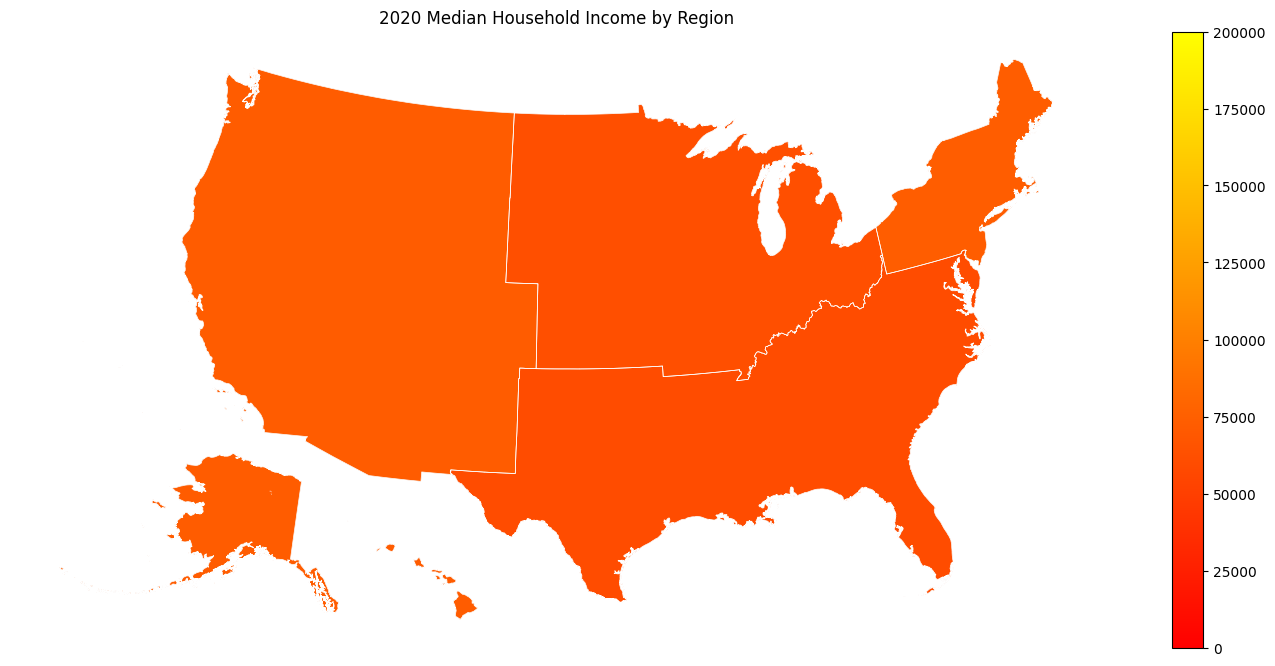
[9]:
gdf_region = ced.download(DATASET, YEAR, VARIABLES, region="*", with_geometry=True)
[10]:
plot_map(gdf_region, "region")
Division
[11]:
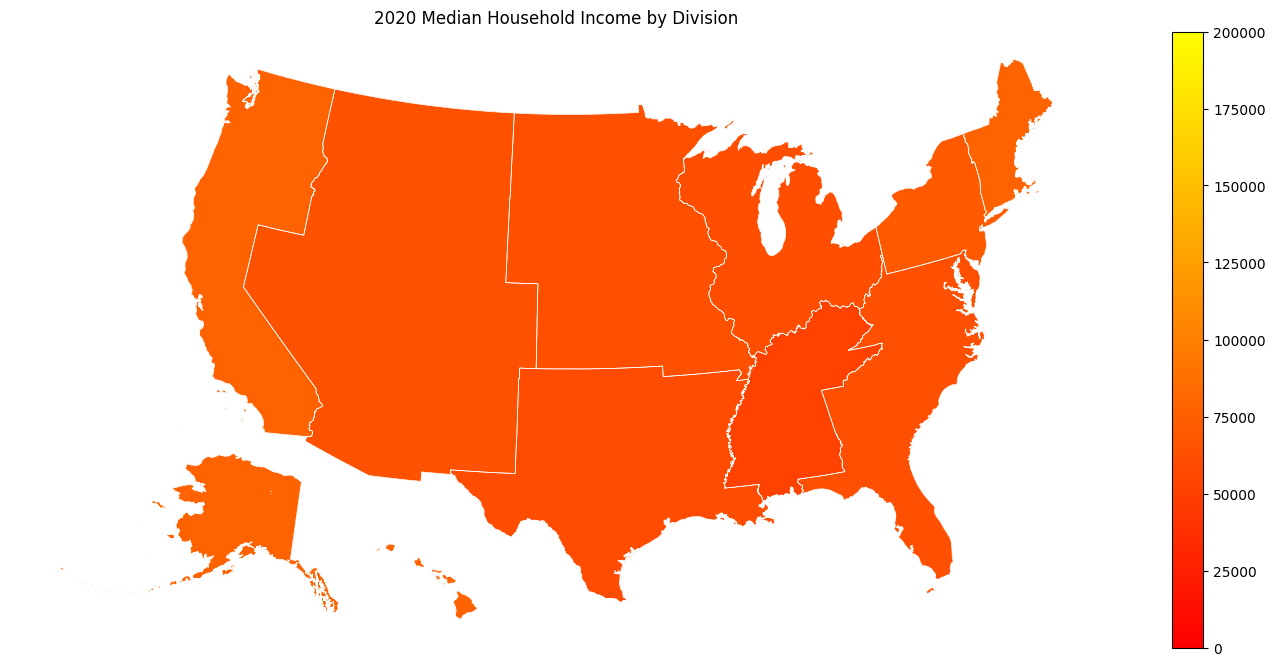
gdf_division = ced.download(DATASET, YEAR, VARIABLES, division="*", with_geometry=True)
[12]:
plot_map(gdf_division, "division")
State
[13]:
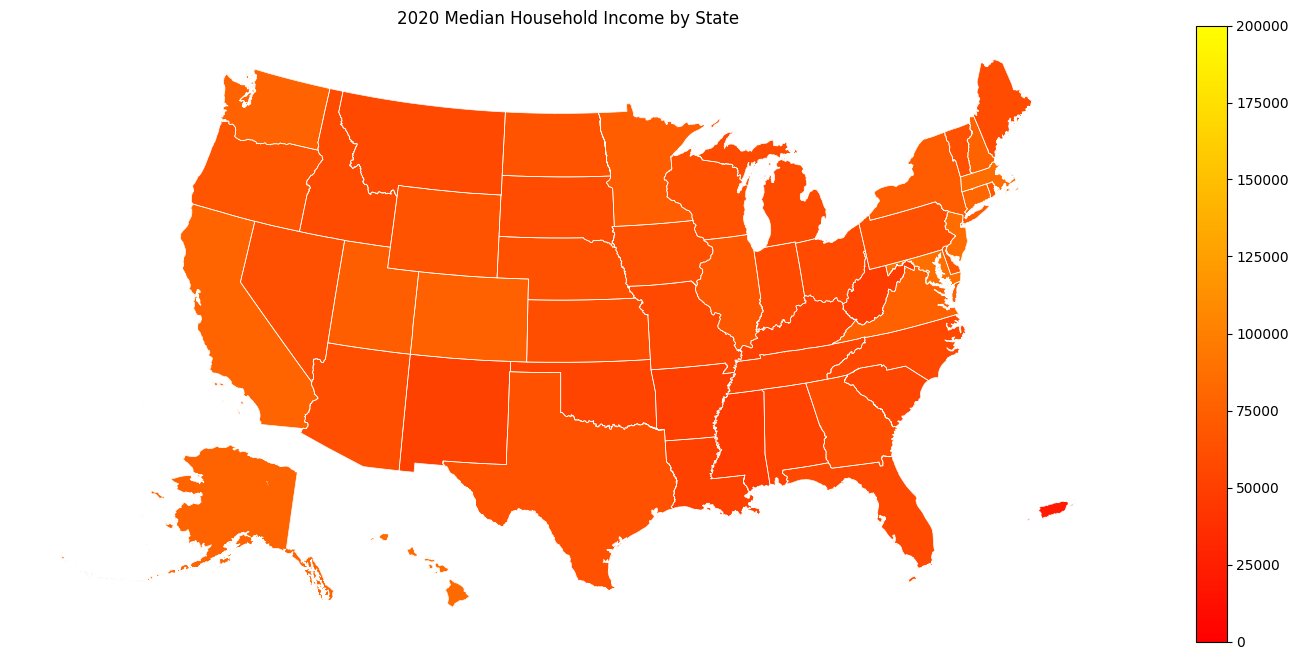
gdf_state = ced.download(DATASET, YEAR, VARIABLES, state="*", with_geometry=True)
[14]:
plot_map(gdf_state, "state")
CBSA
[15]:
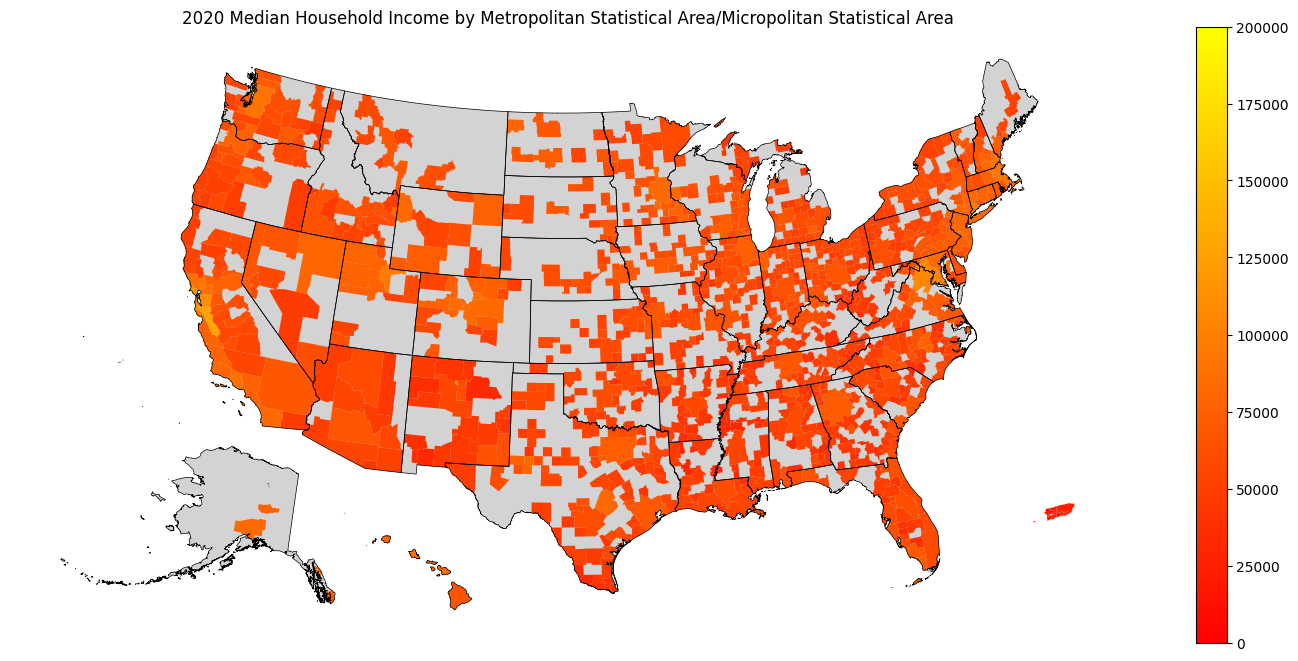
gdf_cbsa = ced.download(
    DATASET,
    YEAR,
    VARIABLES,
    metropolitan_statistical_area_micropolitan_statistical_area="*",
    with_geometry=True,
)
[16]:
plot_map(
    gdf_cbsa,
    "metropolitan statistical area/micropolitan statistical area",
    gdf_bounds=gdf_state_bounds,
    bounds_color="black",
)
CSA
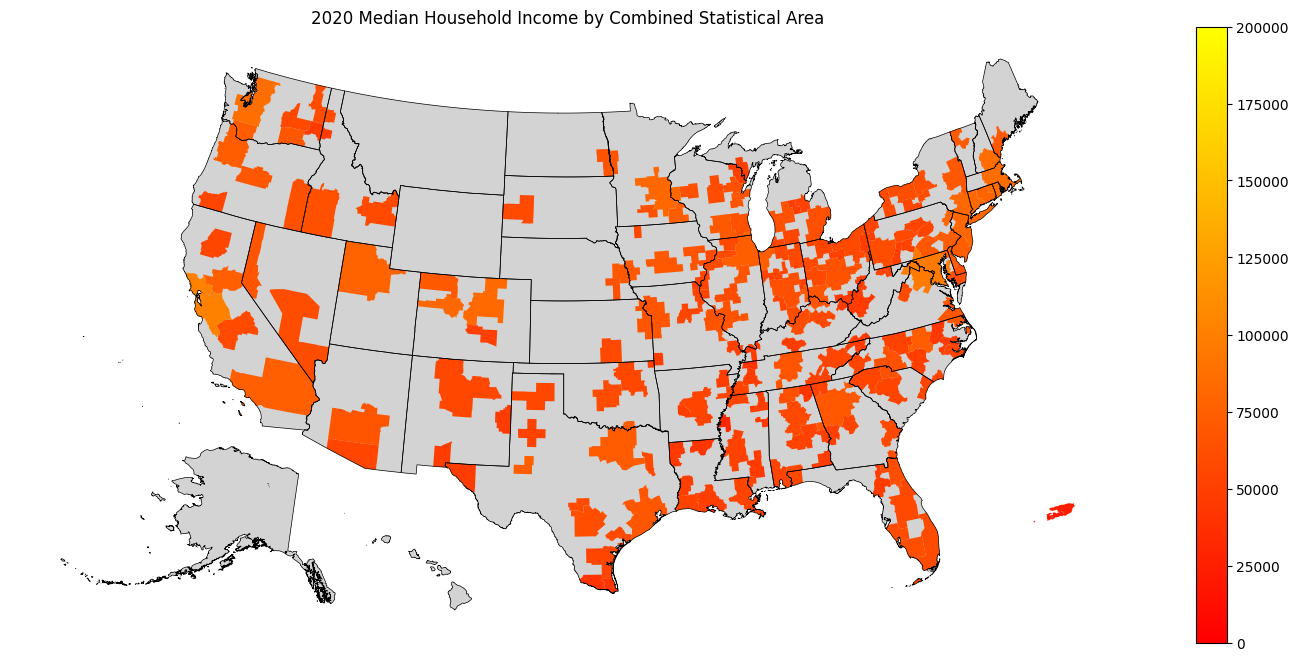
[17]:
gdf_csa = ced.download(
    DATASET, YEAR, VARIABLES, combined_statistical_area="*", with_geometry=True
)
[18]:
plot_map(
    gdf_csa,
    "combined statistical area",
    gdf_bounds=gdf_state_bounds,
    bounds_color="black",
)
County
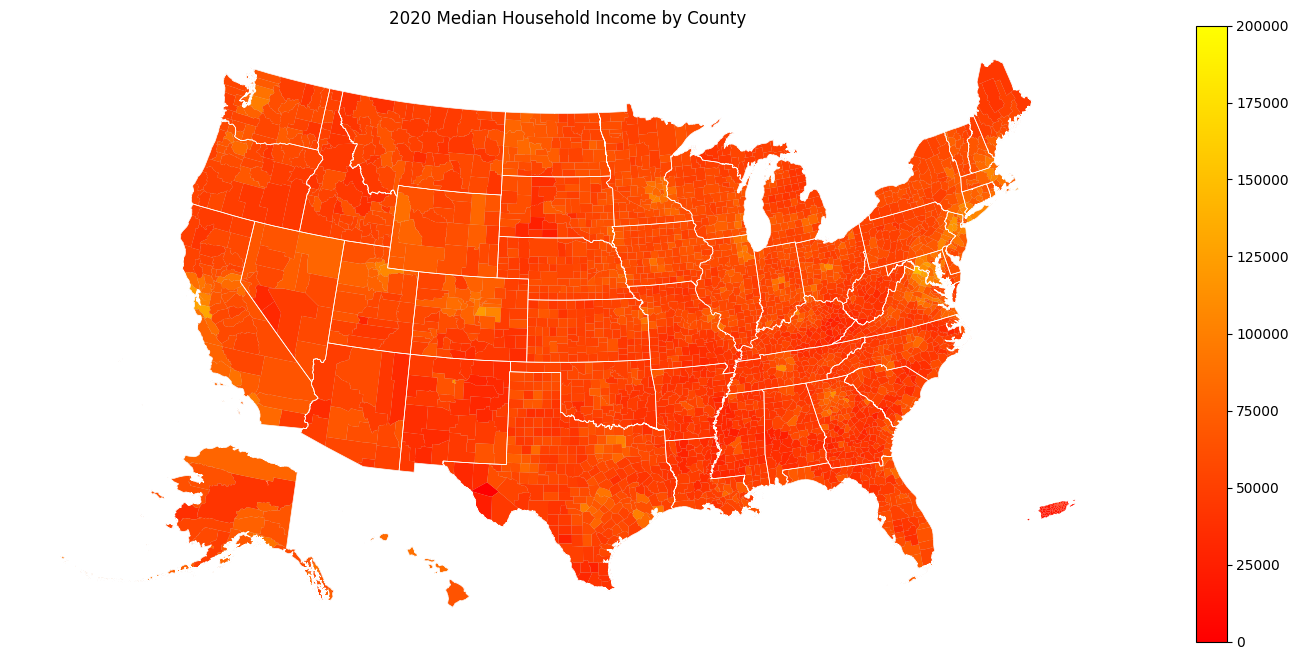
[19]:
gdf_county = ced.download(
    DATASET, YEAR, VARIABLES, state="*", county="*", with_geometry=True
)
[20]:
plot_map(gdf_county, "county", gdf_bounds=gdf_state_bounds)
Census Tract
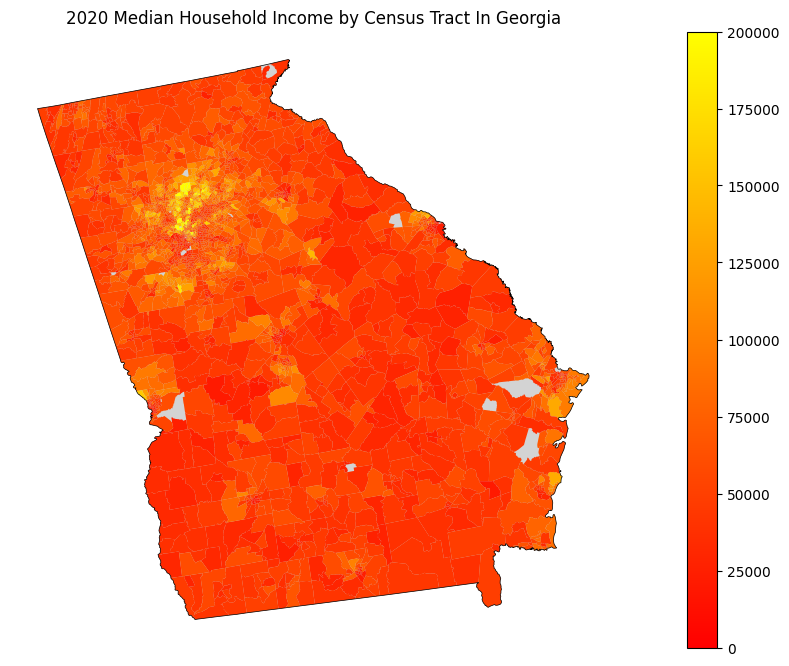
[21]:
STATE = STATE_GA
[22]:
gdf_tract = ced.download(
    DATASET,
    YEAR,
    VARIABLES,
    state=STATE,
    tract="*",
    with_geometry=True,
    set_to_nan=cev.ALL_SPECIAL_VALUES,
)
[23]:
plot_map(
    gdf_tract,
    f"census tract in {STATE_NAMES_FROM_IDS[STATE]}",
    gdf_bounds=gdf_state_bounds[gdf_state_bounds["STATEFP"] == STATE],
    bounds_color="black",
)
Block Group
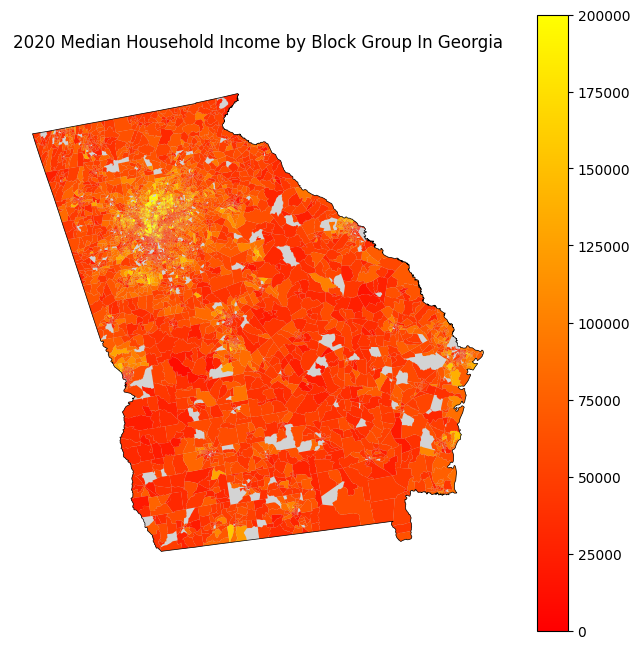
[24]:
gdf_bg = ced.download(
    DATASET,
    YEAR,
    VARIABLES,
    state=STATE,
    block_group="*",
    with_geometry=True,
    set_to_nan=cev.ALL_SPECIAL_VALUES,
)
[25]:
plt.rcParams["figure.figsize"] = (8, 8)

plot_map(
    gdf_bg,
    f"block group in {STATE_NAMES_FROM_IDS[STATE]}",
    gdf_bounds=gdf_state_bounds[gdf_state_bounds["STATEFP"] == STATE],
    bounds_color="black",
)
[ ]: